
Designing a Karaoke Stage for a Deer Valley Corporate Retreat
Image Gallery
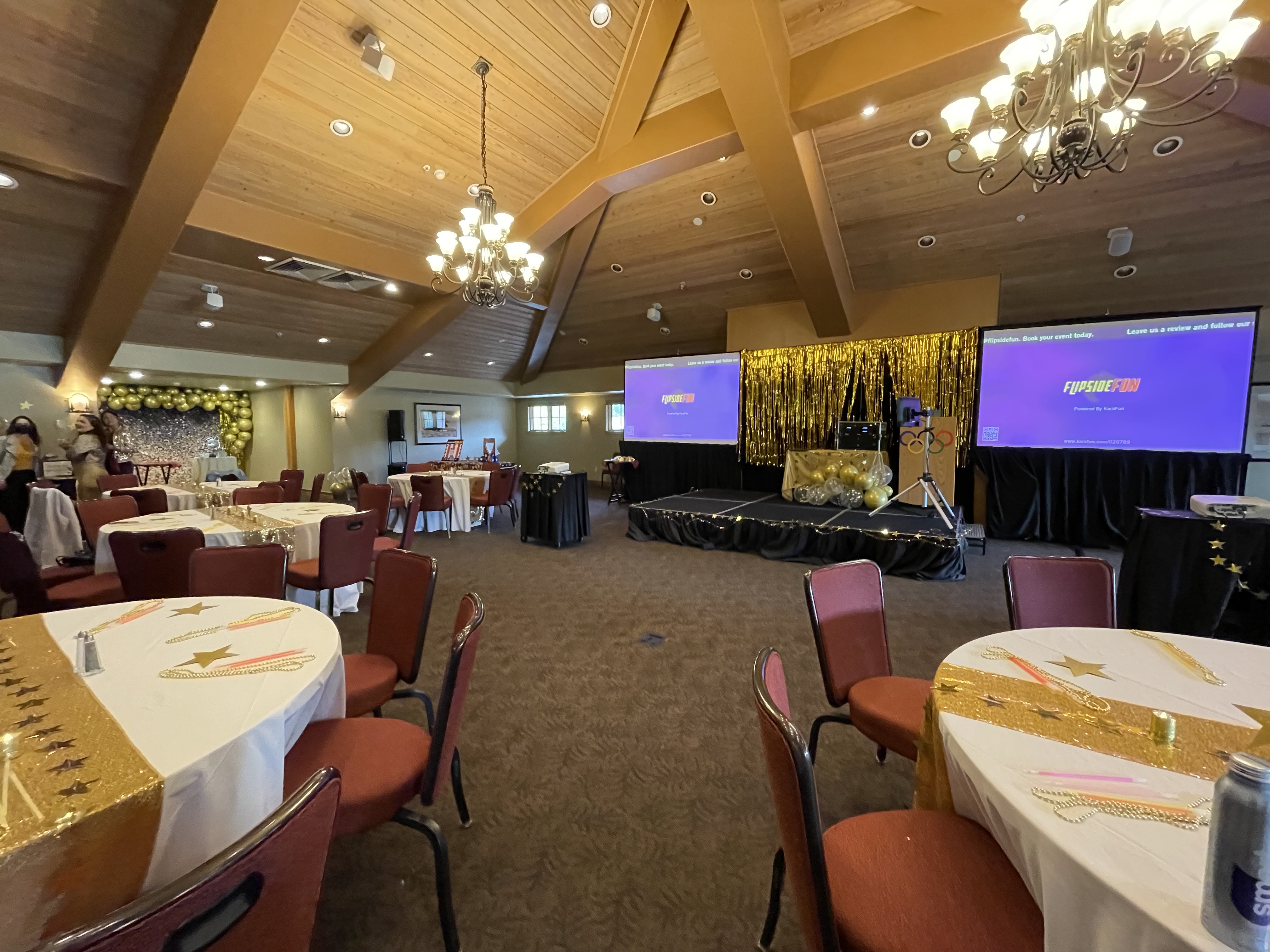
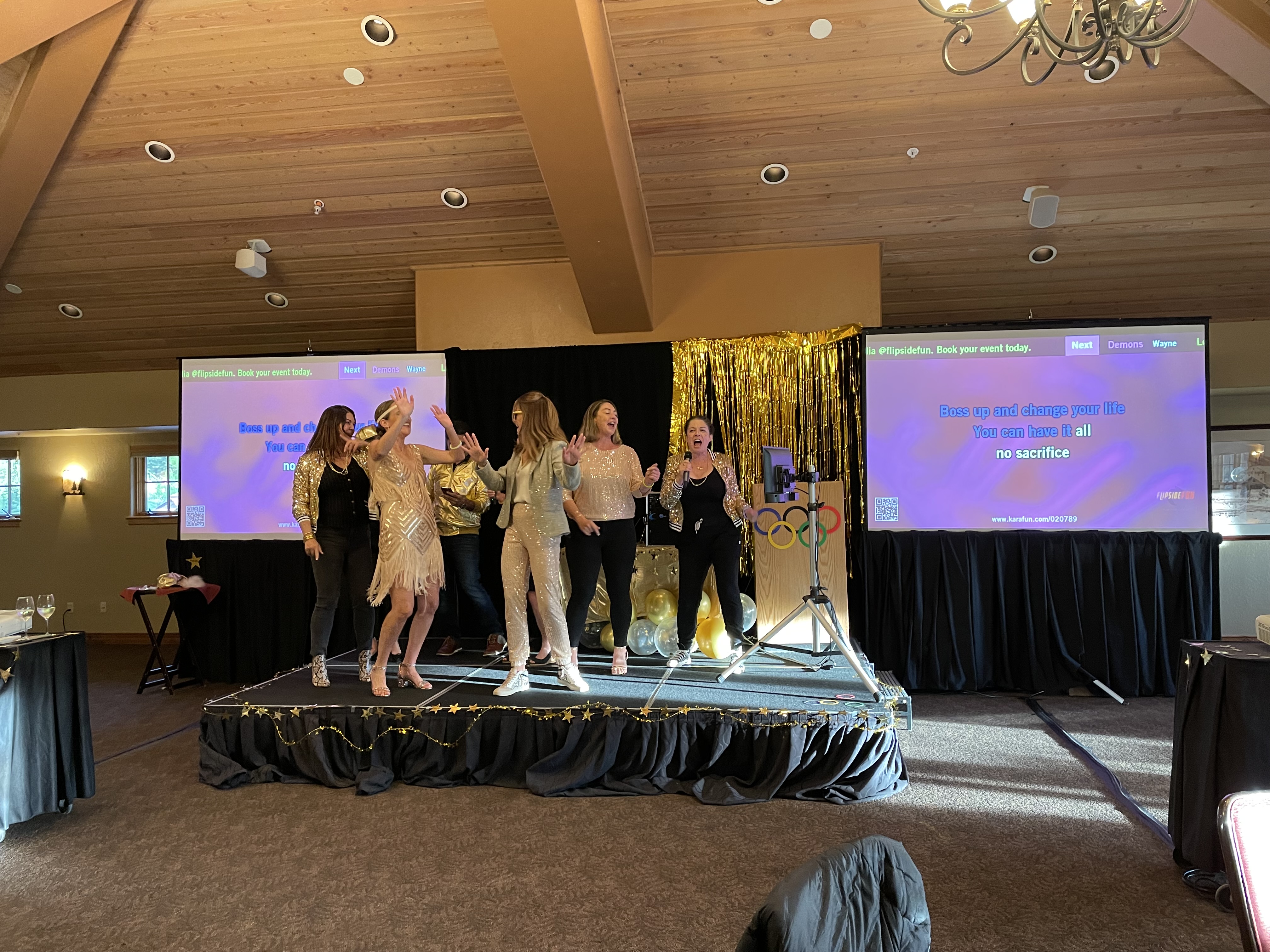
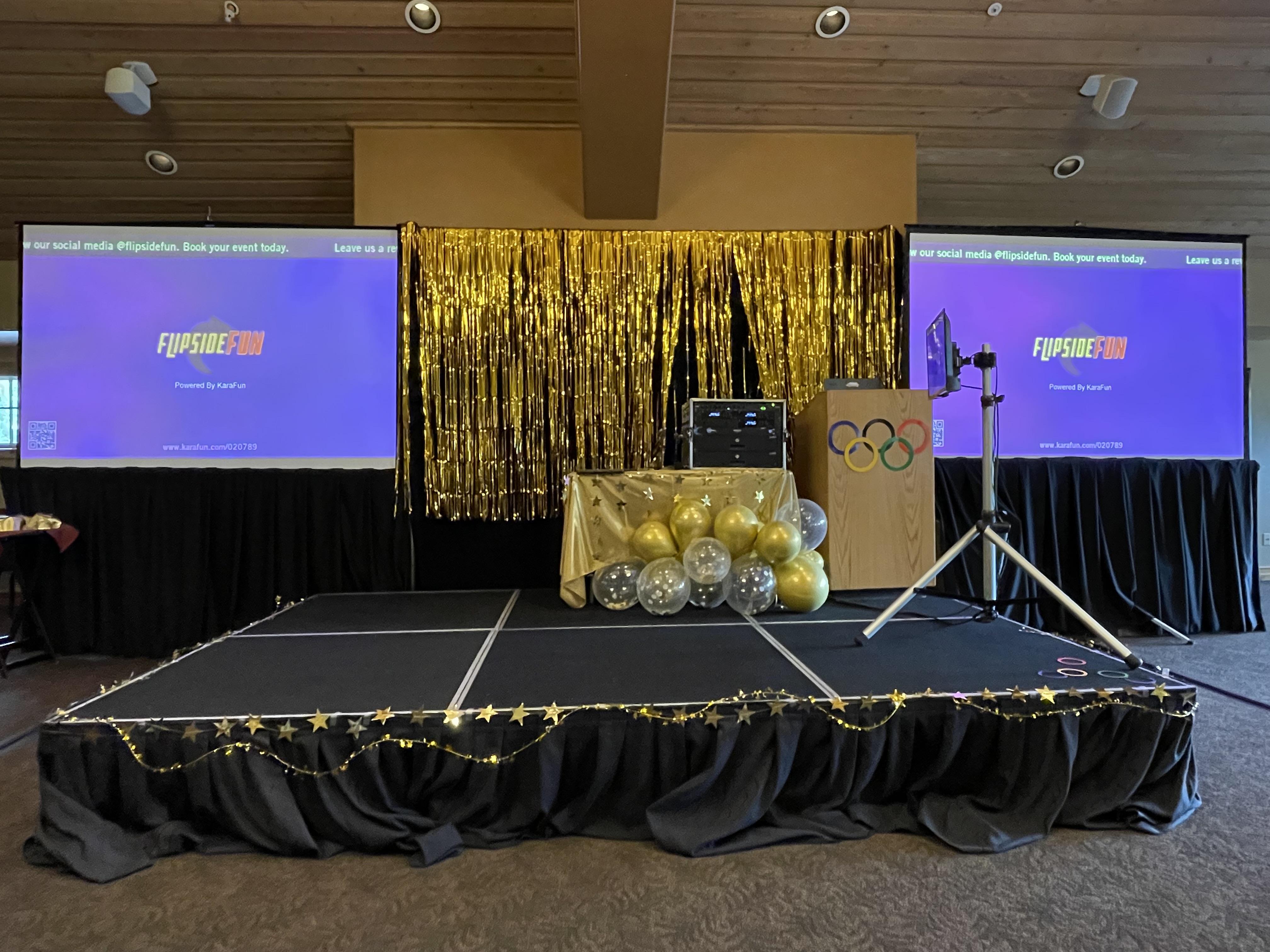
Give performers their own lyric display, make the words easy to read for the audience, and plan a clear handoff between songs. At a Google executive gathering on June 1, 2022, our team, then working as Flipside Fun, put that approach to work at the Lodges at Deer Valley. Two large projection screens faced the audience and a smaller monitor faced the stage. The separate monitor let singers look toward their coworkers instead of turning around to read the lyrics.
Give the audience and singers separate sight lines
A singer and a guest at the back of the room don’t need the same screen. The singer needs words at a comfortable glance from the mic position. A guest needs text large enough to follow from a table, without leaning around whoever is standing at the front. At Deer Valley the audience screens flanked the stage and ran the karaoke display. The performer monitor made it possible to face the crowd while reading the same track.
Test those sight lines before locking in the floor plan. Read a chorus from the farthest table, then check the side seats. Turn the room lights to the level they’ll actually be at during karaoke. If your display is legible only in a dark room but the venue needs lights up for dessert service or safe circulation, find out during setup rather than halfway through the first song.
Make the first walk to the stage easy
The black stage draping, gold tinsel and small star lights gave guests a clear destination in a room that already had wood beams and warm lighting. The stage looked like part of the evening rather than a piece of equipment dropped into the middle of dinner. Wireless microphones let several people share the space without trailing cables across the performance area.
For another retreat, walk from a guest table to the stage the way a first-time singer would. Where do they enter? Where do they stand so they can see the lyrics? Who hands over the mic, and where does it go after a song? Keep that route out of the line for the bar or the main path used by catering staff. The fewer decisions guests have to make on their way up, the easier it is to say yes to a song.
Decide how karaoke fits the evening
A defined set after dinner has a different rhythm from a booth-style activity people can drop into while other parts of a retreat continue. A main-room set can give the organizer one clear introduction and a shared ending. A drop-in option lets people watch briefly or join without waiting for every guest to arrive. Ask the organizer what else will happen at the same time: dinner service, speeches, conversations near the bar, or people leaving for another activity. Then choose where to put the stage, how to announce it and how much of the schedule to give it.
Agree on a stopping point before you describe the activity to guests. If people sign up for more songs than fit into the time, the host needs a practical way to avoid promising a slot to everyone. They might announce when requests will close, ask for one song per group at first, and keep a few options available for the last turn. Make room for people who won’t sing. Seating with a clear view and space for people to talk away from the stage let the rest of the group decide how closely to follow the activity.
Plan for an audience, not just a queue of singers
Some coworkers will sing early, some might join only if a friend goes with them, and some will have a better time watching. Give all three an easy way to participate. Start with a volunteer or a familiar group number if the organizer has one in mind. Let people suggest songs without making signing up feel mandatory. If friends want to join a chorus, ask the host to check the mic count and show them where there’s room to stand before starting the track.
Leave a few seconds between songs so the next person can reach the stage, and have the host confirm the track version before pressing play. A poor first experience often comes from small, preventable things: a singer can’t see the next line, someone gets the wrong version of a song, or the first words disappear while a microphone is still being handed over.
Test the show the way a guest will use it
- Ask a volunteer who hasn’t seen the setup to choose a song and walk up from the seating area. Note every spot where they stop or ask what to do.
- Have them speak a normal sentence and then try the first lines over the actual backing track. Listen from the far side of the room for the words, especially if people will still be talking during the set.
- Check both audience displays and the performer monitor at the planned light level. Confirm that the host knows what to do if an audience display stops working or the lyric screen is hard to see.
- Rehearse the end of one song and the start of the next. Check where the mics are handed back, whether someone needs a moment to get onto the stage, and how the host fills a short wait.
If the event includes remarks, decide whether the speaker will use the karaoke mic or a separate one. The two moments can have different levels and staging. Tell the sound operator when the room switches from dinner or a speech to singing so the first track doesn’t come up unexpectedly. A written handoff cue can save a conversation between the organizer and operator while the mic is live.
Do you always need three screens?
No. The two audience screens and one performer monitor suited the Deer Valley layout. In a smaller room, an audience display may be optional or one may be enough. Place the performer monitor first, then test which guests can really see from their seats. Add coverage when there’s a useful gap to fill rather than ordering displays before the room plan exists.
Three things to decide with your venue
- Agree on the room layout, including where people will sit and whether you’ll turn the room after dinner.
- Decide whether the activity has a start and finish time or runs as a longer drop-in option. Give the host a clear lead-in and closing cue.
- Confirm where screens and a performer monitor can go, and who has the final say on the room’s lighting and sound levels.
If you’re planning a company retreat in Park City or elsewhere in Utah, tell Grid City Events about your room and guest count. Those two details are a better starting point than picking the number of screens before you know who needs to see them.
Related: karaoke for events.